Forty feeds, two eyes
A wall of muted tiles is not a monitoring plan. The moment that matters is four seconds long, on one screen, while the person who should see it is doing something else.
Connect a camera. Define a situation. Send the signal.
livee is an AI alerting layer for the warehouse CCTV you already own. You describe the situation that matters — a person inside three metres of the cage, a pack line that stopped when it should be running, a forklift in a pedestrian aisle — and the moment it happens on the live feed, livee tells people, systems and machines at once.
Works with the cameras you already have. Cloud or on-site. Pricing on request.
The gap
A recorder answers questions after the fact. livee answers them while there is still time to do something about it.
A wall of muted tiles is not a monitoring plan. The moment that matters is four seconds long, on one screen, while the person who should see it is doing something else.
Not “motion in aisle 12” at three in the morning when pallet wrap flutters. A person inside three metres of the cage. A conveyor that should be running. A dock that went quiet during receiving.
The supervisor’s phone, the WMS and the beacon over the crossing never learn what the camera just saw — not unless somebody wires the event out of the recorder.
Reviewing footage tomorrow tells you what went wrong. It does not stop the forklift, refill the dock, or restart the line.
The livee platform
One layer over the cameras you already run — sources, situations and signals, configured per camera rather than in one global profile.
Existing IP and CCTV cameras, NVR or VMS streams, RTSP. Each source carries its own hours, sensitivity, zones and default channels, because aisle 12 and the receiving dock are not the same problem.
Compose the situation: what moved, what stopped moving, which class of object, which region, how close to a marked point. Attach as many alerts to one camera as the floor needs.
One event, many destinations, fired in parallel. Email, SMS, a POST to your own API, a signal over Ethernet to a PLC or beacon on the same network.
Every alert carries the camera, the rule, the object class, the measurement and a clip of the seconds around it — so the notification can be acted on and filed.
Why livee
The object is. Mark person, forklift, pallet, vehicle or package and livee ignores the rest, so wrap breathing in a draught does not wake anybody at 03:40 — and a person in the same frame does.
A stall alert watches a region that is supposed to be active inside a window. When the expected motion stops for longer than the grace you set, it fires. Nobody has to notice the silence.
Calibrate a point on the image against a distance you know on the floor — a rack pitch, a bay width, a painted line — and livee tracks approach in real units, not in pixels.
An Ethernet signal to a PLC, beacon, gate or industrial PC means the crossing light can go amber while the SMS is still in flight. No human in the loop unless you want one.
Alert types
Mark the object classes that should raise a hand, then narrow it further with a zone and an active window. Person, forklift, pallet, vehicle, package, or unknown.
Mark a region that is meant to be active during a window — a conveyor, a pack station, a dock inside its receiving slot — and set a grace period. This is the one that quietly pays for itself.
Select a point or region, calibrate it once, set the threshold. Pedestrian-versus-forklift keep-out, a press, a charging bay, a high-value cage. A virtual tripwire on a camera that is already installed.
Other situations customers run today — examples, not a closed catalogue:
Channels
A keep-out breach can email the shift supervisor, SMS the floor lead who is already walking that aisle, POST to your incident system and pulse a beacon over the crossing — in parallel, from the same event.
See a payloadShift leads, on-call rotations, EHS distribution lists. Subject, event detail, and the frame that triggered it.
For the person already on the floor in a high-vis vest, nowhere near a screen. One line, the camera, the situation. No app required.
A structured JSON payload POSTed to any endpoint you own — WMS, incident tooling, a chat relay, your own middleware. Signed, retried and logged.
A signal on the local network to a PLC, beacon, siren, gate, door controller or industrial PC. The floor reacts without waiting for a person to read a message.
The push channel is built and wired into the alert engine. The Castomo mobile apps that receive it are still in development, so we will not pretend it is available yet.
Sources
Existing IP and CCTV cameras, NVR or VMS streams, RTSP. Connected per camera, not per site.
A rule can be armed only after 18:00, or only inside the booked receiving slot.
Tuned to the light, traffic and clutter of that one view.
Regions drawn on the image, and the reference that turns pixels into metres.
What a new alert on this camera notifies before you change anything.
How long the seconds around an event are kept — set per source, not globally.
How it works
Most sites go live on the first camera in a single session.
Point livee at a live stream and set that camera’s options: active hours, detection sensitivity, the zones that matter on the image, and its default channels.
Motion of a class of object. Absence of motion where work should be happening. A marked point with a keep-out distance in metres. As many as the camera needs.
Attach who — and what — gets told. A supervisor by email, the floor lead by SMS, your WMS by webhook, the beacon over the crossing by Ethernet. All four, if that is the policy.
Alert builder
One source, one situation, as many channels as you need. This is an illustration of the real builder — it is not connected to a camera, and nothing you touch here leaves your browser.
CAM-12 · high-value cage
Alerts on this source: 3 — independent, each with its own channels.
On the floor
Four situations customers wire on the first day.
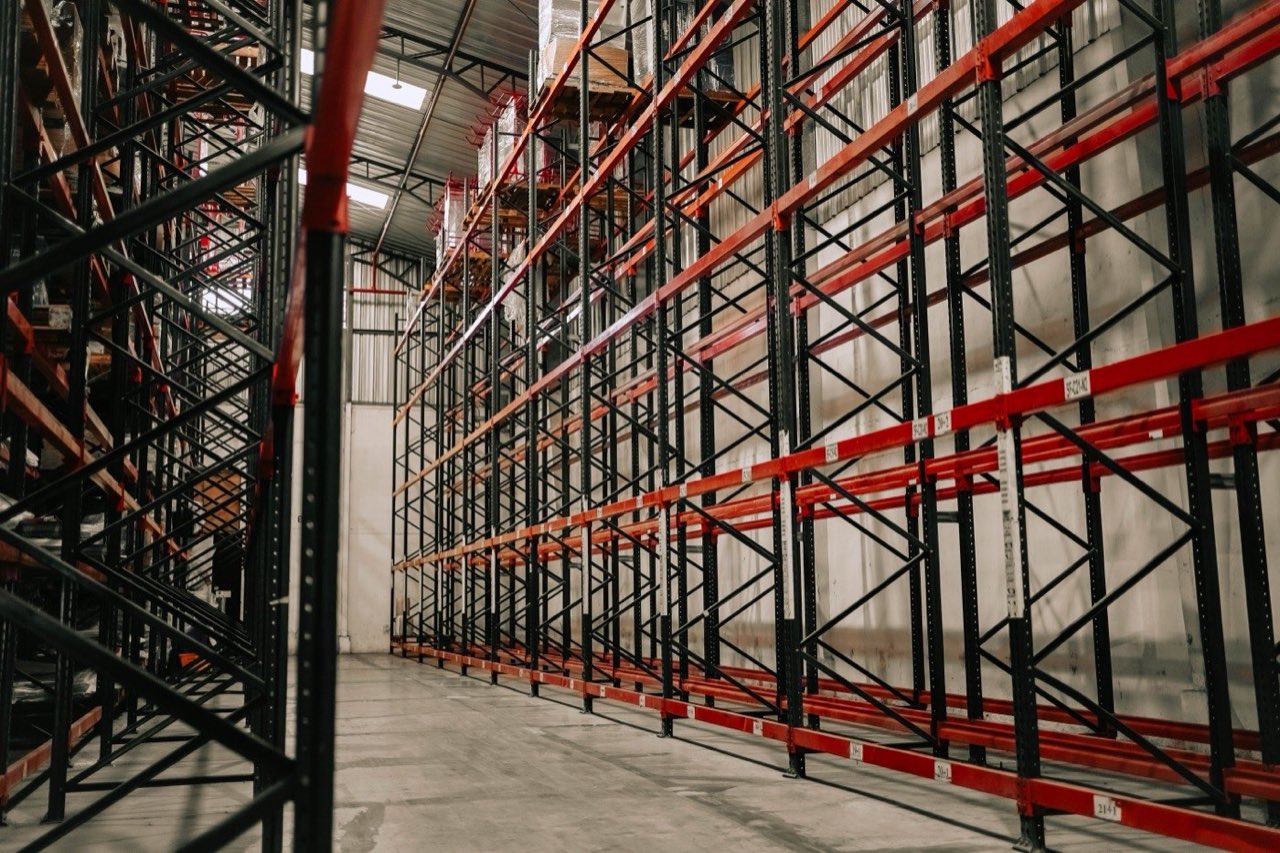
Proximity · CAM-12
A marked point on the cage, a 3 m threshold, class person, armed outside picking hours.
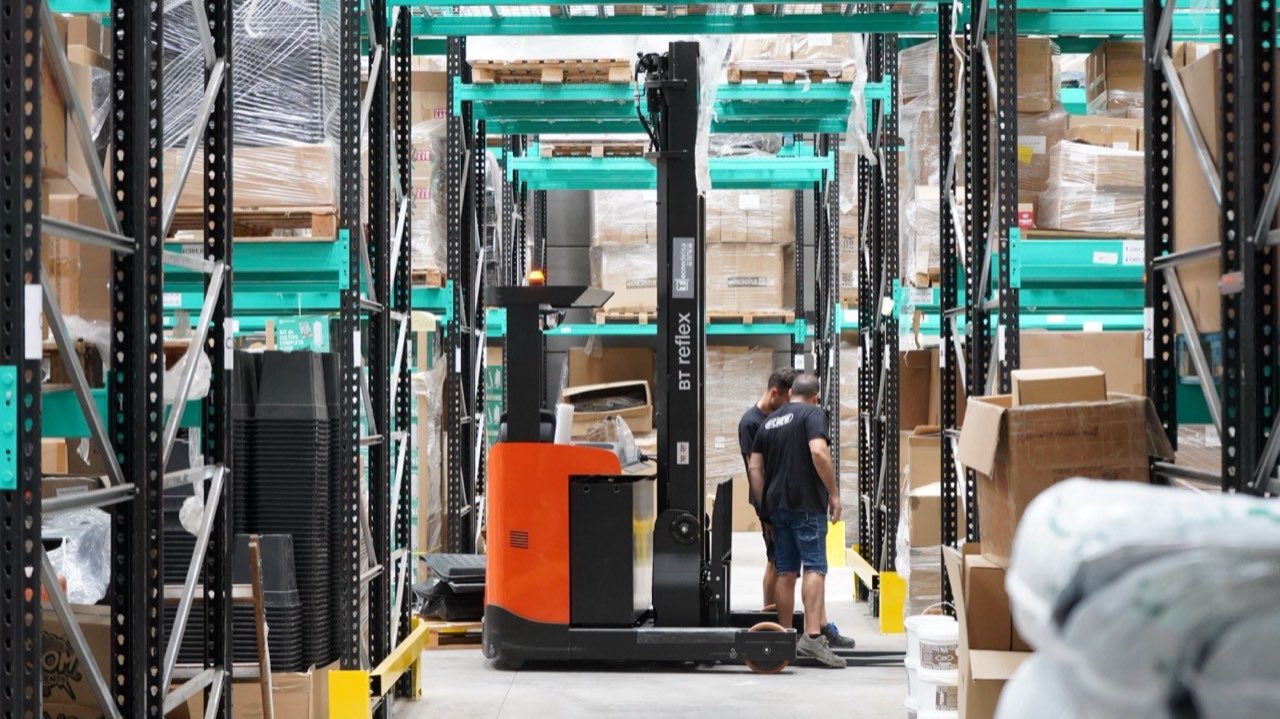
Proximity · CAM-21
A crossing where the aisle meets the walkway. Keep-out distance between the two classes, all shift.
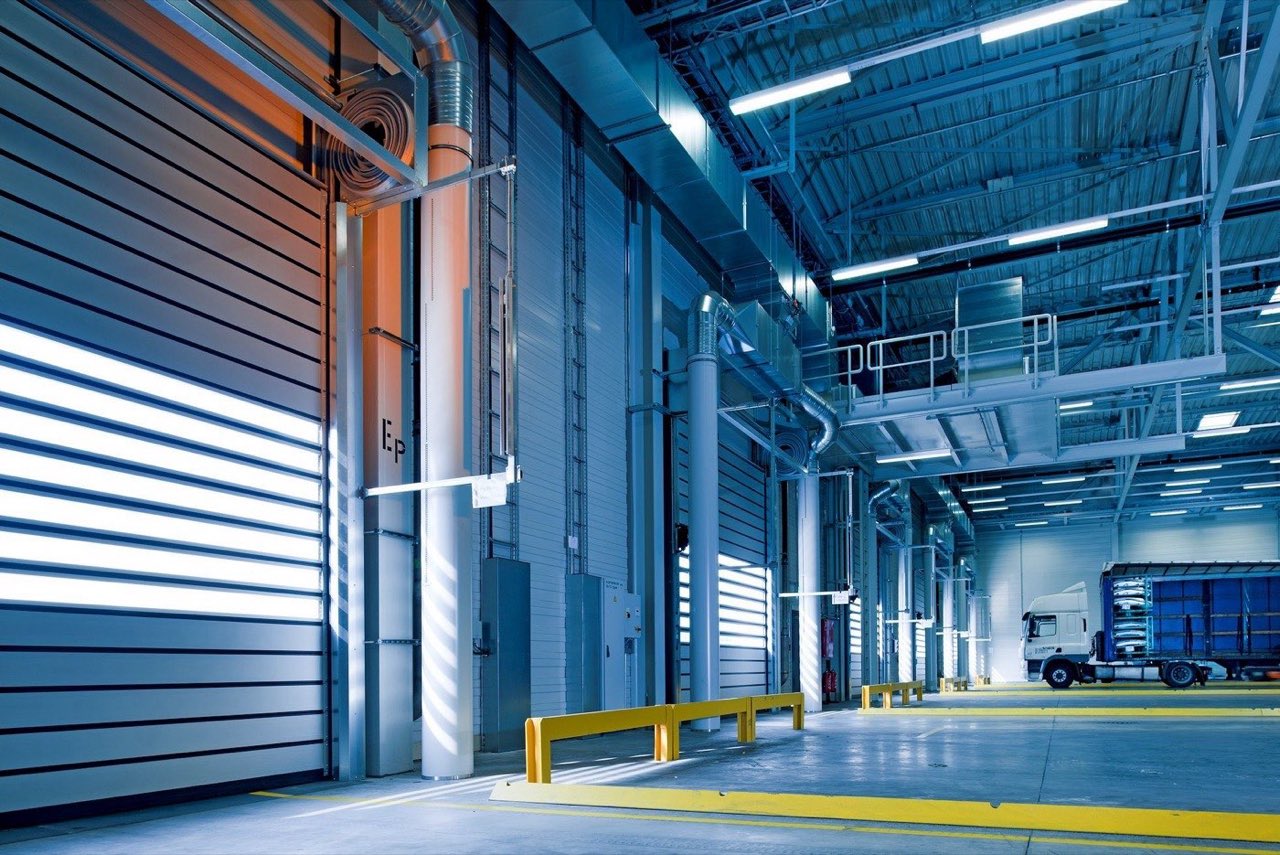
Stall · CAM-03
Expected activity missing inside the booked receiving window. The trailer is there; nothing is moving.
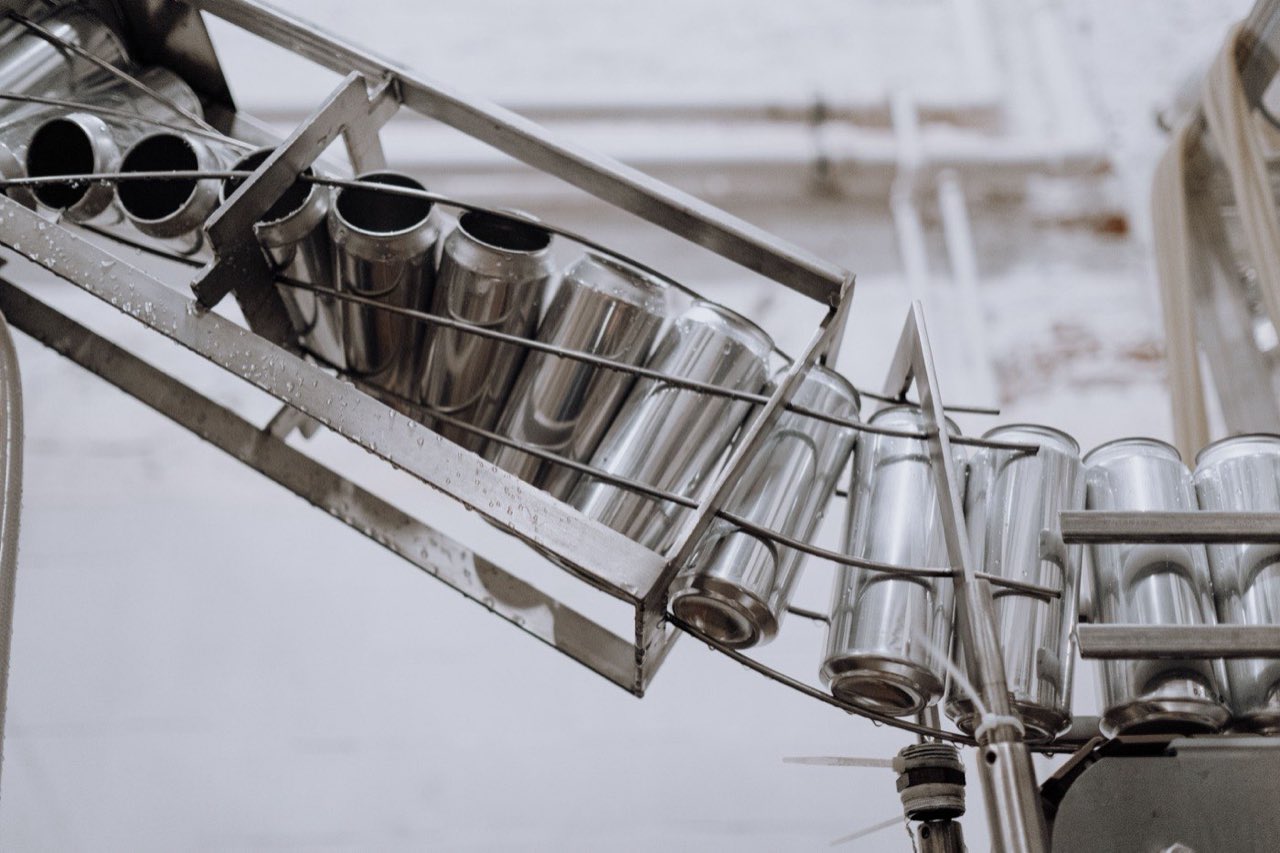
Stall · CAM-07
The pack line goes quiet for longer than the grace period during its own window.
Photos: Pexels — iam luisao, cottonbro studio, Pixabay, GB The Green Brand
Pricing
We quote after we have seen the site, because a hall of four cameras and a hall of eighty are not the same product. No public price list, no surprise tiers.
For a single site
On request
One hall, one set of cameras, the alerts that matter there.
Includes
For several sites
On request
The same policies across halls, with per-site sources and routing.
Everything in Site, plus
For regulated or closed networks
On request
Analysis on hardware inside your own network when policy requires it.
Everything in Multi-site, plus
Pricing on request. We use the demo to size it honestly, not to start a negotiation.
Data & privacy
Under the GDPR, footage of your site and your people is yours. livee processes it on your instruction, for the situations you defined — not for its own purposes, and never as training data for anyone.
Analysis can run in the cloud or on hardware inside your own network, matched to how the cameras already run and to what your security policy allows.
livee is built around the event and the seconds around it. Clip retention is a per-source setting you choose; it is not a second recorder keeping everything.
Monitored areas still need signage, an information clause and, in most EU workplaces, consultation with staff representatives. We will tell you what livee changes about your existing notices — and what it does not.
This describes how the product handles data. It is not legal advice and not a certification claim.
Honest limits
Demo
Tell us about the site and we will walk a single live source with you — the keep-out that worries you, the line that stops, or the door nobody should be near after ten.
A call, your camera list, and the first situation worth wiring.
If your cameras stream, we can work with them.
Priced by sources and alerting volume, quoted after we have seen the site.
FAQ
No. livee is built to sit on the CCTV you already own. If a camera produces a live stream we can work with, it can carry alerts. The product is the event layer, not a hardware swap.
Yes, and most sites do. A single dock camera commonly runs a stall alert inside the receiving window, a forklift keep-out on the pedestrian hatch, and an after-hours presence rule — three independent policies with three different sets of channels.
Yes. Email, SMS, an external API and an Ethernet signal to another machine can all fire from the same event, in parallel. Channels are attached per alert, so the 03:00 rule can be loud and the daytime rule can be quiet.
You mark a point or a region on the camera image and calibrate it once against a distance you know on the floor — a rack pitch, a bay width, a painted line. livee then tracks how close a chosen class of object gets, in real units, and fires on your threshold. It is image-based measurement, not lidar, so we calibrate and sanity-check it with you on the camera you intend to use.
A stall or absence alert. You mark a region that is meant to be active during a window and set a grace period. If the expected motion stops for longer than that grace — a conveyor, a pack station, a dock inside its slot — the alert fires. It catches lost throughput that nobody reports.
Both. Software gets a structured JSON webhook POSTed to an endpoint you own, with retries. Hardware gets a signal over Ethernet on the local network — a PLC, beacon, siren, gate or industrial PC — so the floor can react without waiting for a person to read a message.
Not yet. The push channel exists in the alert engine, but the Castomo mobile apps that receive it are still in development. Email, SMS, API and Ethernet are the channels you can use today, and we would rather say so than let you plan around a handset that is not there.
Either. Analysis can run in the cloud, or on hardware inside your own network when the cameras or the security policy require it. Which one suits your site depends on bandwidth, on where the recorder lives and on what your IT function allows — it is one of the first things we settle on the call.
livee analyses the live stream for the situations you defined and keeps the seconds around an event as evidence, for as long as that source is set to keep them. You remain the data controller; livee processes on your instruction and does not use your footage to train anything. It is not a second archive of your whole site.
Yes. livee is part of the Castomo ecosystem and lives at livee.castomo.com — same company, same account, alongside the rest of the Castomo product family.
Tell us the situation that worries you most. We will wire it and show you the first event.